Beonbet Login: Sign In With Your Email and Password
The Beonbet login takes four actions: press Sign in in the header, type your login or email, add your password and press Login. Your account is the same for the Casino, Sports and Predictions tabs of Beonbet online, on a computer or a phone. Beonbet lists the United Kingdom as a restricted country in its terms and shows a "Country blocked" message to UK connections, so read the status section further down before you create an account.
Signing up is one form: email, password, country and currency, with no phone number asked. You must be 18 or over to open an account.
How to Log In to Beonbet From the Sign in Button
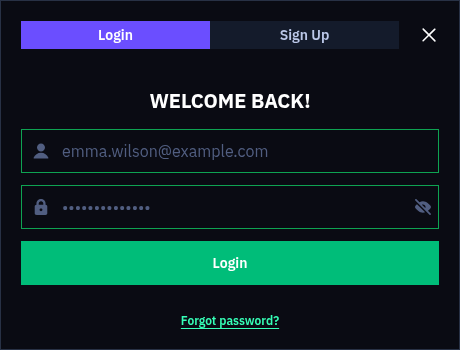
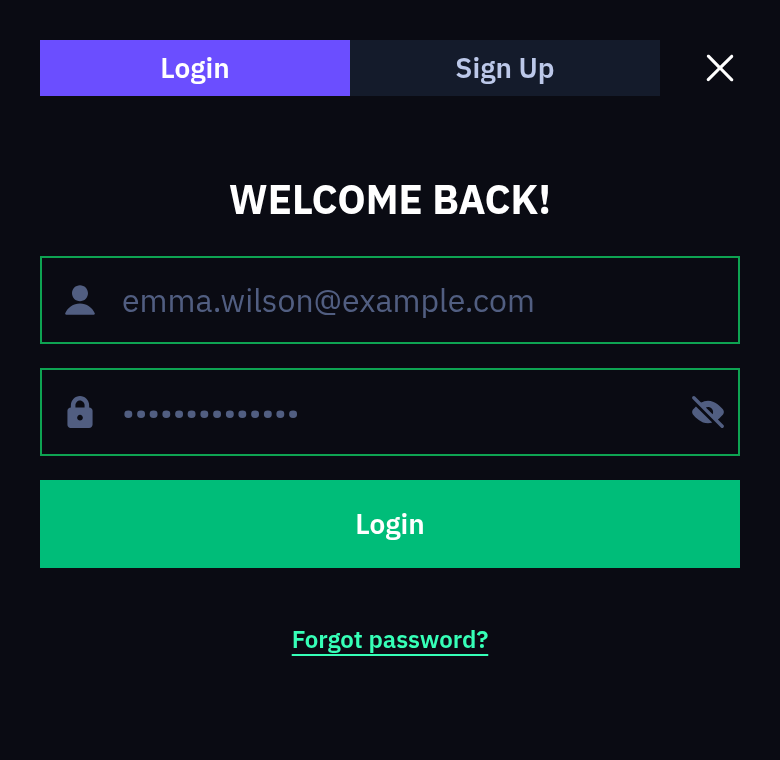
The login window looks the same on a desktop and in a phone browser. It opens over the page you are on, under the title WELCOME BACK!, with two fields and one button:
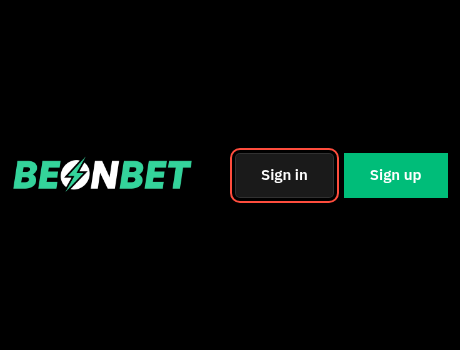
Press Sign in
Press Sign in in the header, next to the Sign up button.
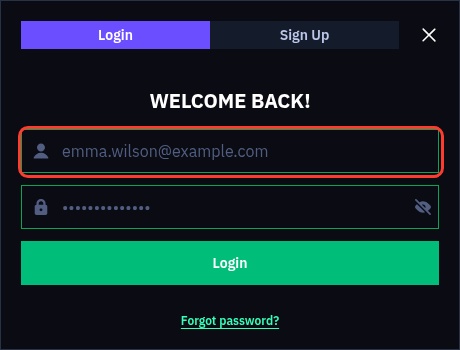
Type your login
Type your login or the email address you registered with into the Login or Email field.
Enter your password
Enter your password in the Password field. The eye icon shows the characters, so you can check them before you send the form.
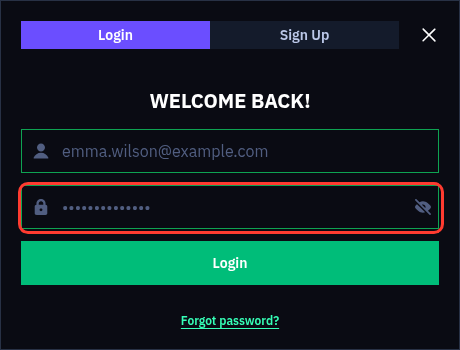
Press Login
Press Login to open your account and balance.
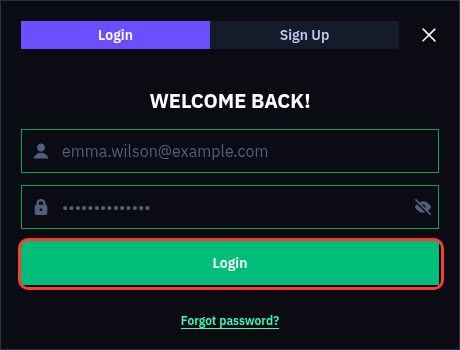
The same login and password work on every device, so the account you open on a laptop is the one you open on a phone. A browser password manager can fill both fields on later visits. After a few wrong tries, stop guessing and use the Forgot password? link in the same window.
Password Recovery Through the Send Now Button
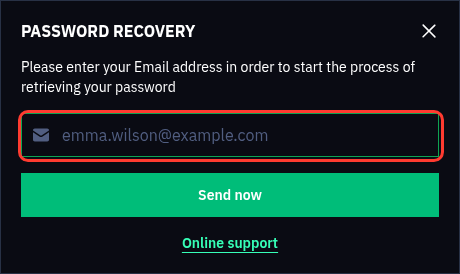
A forgotten password is fixed from the login window itself. The Forgot password? link opens a second window, PASSWORD RECOVERY, with the line "Please enter your Email address in order to start the process of retrieving your password". Recovery takes three actions:
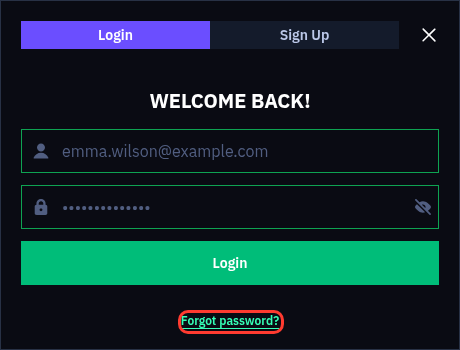
Click Forgot password?
Click Forgot password? in the WELCOME BACK! window.
Type your email
Type the email address you used to create the account into the Email field.
Press Send now
Press Send now to start the reset.
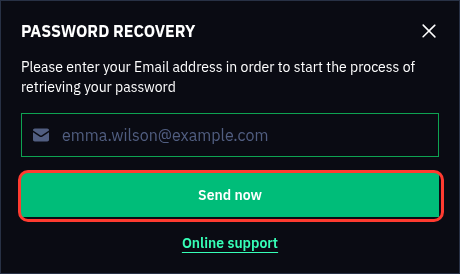
The form asks for an email only, not a login name, so use the address from your sign-up. If no message arrives, check the spam folder. Lost access to that mailbox, or still stuck? The Online support link in the recovery window and Live Chat in the left menu both reach the support team.
New to Beonbet? The One-Step Sign-Up Form
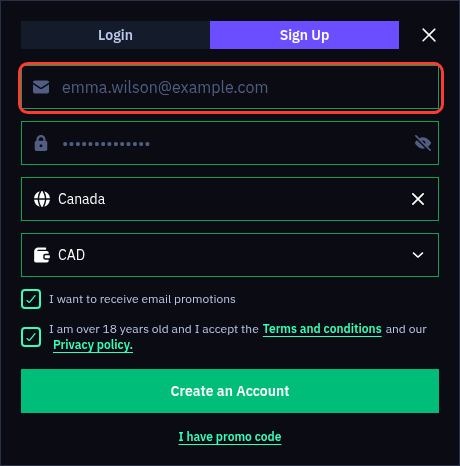
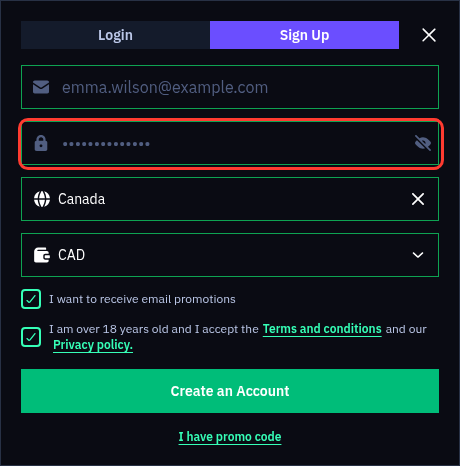
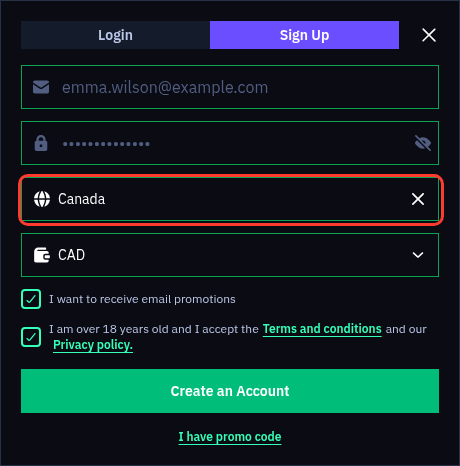
Players without an account start with the Sign up button in the header. The form fits on one screen, with four fields, two checkboxes and one button:
Enter your email
Enter an email address you can open; a wrong format brings up the message "Incorrect email".
Choose a password
Choose a password of at least 8 symbols, or the form answers "Field must have at least 8 symbols".
Check the country
Check the Country field, which is filled in from your IP address and has a search box.
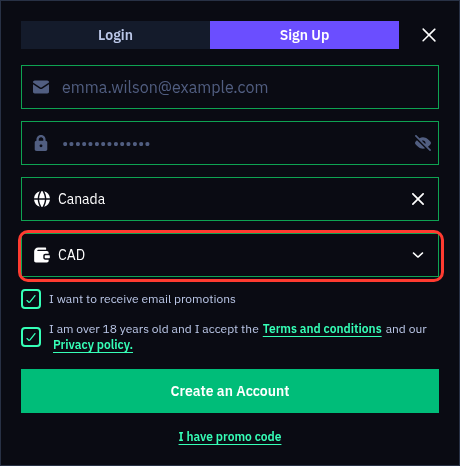
Pick the currency
Pick the account currency from the drop-down list.
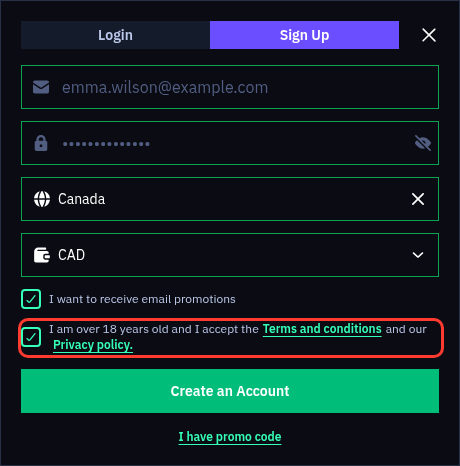
Tick the 18+ box
Tick "I am over 18 years old and I accept the Terms and conditions and our Privacy policy", which the form requires.
Create the account
Press Create an Account.
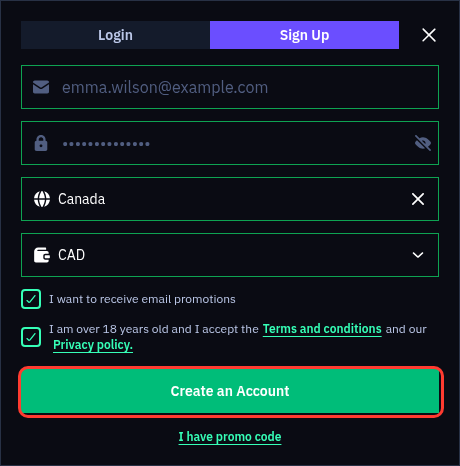
The second checkbox, "I want to receive email promotions", is ticked by default, so untick it if you want no offers by email. The link "I have promo code" opens a Promo code field, which is where a Beonbet bonus code goes before you press the button. Name, phone number and date of birth are not asked at this point. The terms allow one account per person, household, IP address and device.
Logging In on iPhone and Android Browsers
Beonbet has no native app, no APK and no listing in the App Store or Google Play. On iPhone and Android the browser version does the job of a Beonbet app: every page is built for small screens, and a bar at the bottom holds Menu, Casino, Sign up, Sports and Search.
Open the site in Safari or Chrome, tap Sign up in the bottom bar and switch to the Login tab at the top of the form. The fields, the eye icon and the Forgot password? link work as they do on a computer.
Nothing needs installing or updating, so a new phone only needs your login and password. The mobile site keeps the full menu behind the Menu button, with Promotions, Tournaments and Live Chat.
Your Profile, Bonuses and Extras After Sign-In
Some parts of the site only open once you are signed in. Wheel of Fortune and Lucky Boxes sit in the left menu and ask you to log in first. The Shop turns points into bonus money and free spins, Achievements carry rewards of their own, and a daily check-in called "Your daily luck" runs on the lobby strip.
Bonuses show in your profile too. The Beonbet welcome bonus is credited automatically after a first deposit of £20 or more and appears there. If it is missing, contact Live Chat before you place any bet: a bet with the deposit before the bonus is claimed cancels the bonus for that deposit.
Only one bonus can be active at a time, and a withdrawal request cancels any bonus you have not used yet. The cashier also sits behind the login, so deposits and withdrawals both start from your account.
Verification Before Your First Withdrawal
Signing up asks for no documents; the first withdrawal does. Before you withdraw your winnings for the first time, Beonbet checks your identity and asks for:
- proof of identity;
- proof of address;
- proof that the payment method belongs to you;
- pictures of the card with the first 6 and last 4 digits visible, or a bank statement.
Documents go to KYC@beonbet.com, the address the brand gives for verification. Further checks follow once your deposits or withdrawals pass €2,000, and again at €5,000. After the checks, withdrawals are normally processed within three banking days and are paid back to the method you deposited with. Every deposit must be wagered at least 3 times before it can be withdrawn, so plan the first cash-out with that in mind.
Sending the documents soon after your first deposit lets the check start before you ask for money back.
Two-Factor Authentication and the Official Address
Beonbet offers two-factor authentication in the account settings. With it switched on, a stolen or guessed password alone does not open your account, which matters most if you have used that password on other sites.
The brand's own address is beonbet.com, the name printed at the foot of every page. Check the address bar before you type your password, and do not log in through links in text messages or emails you did not expect, even when they say your account needs confirming.
Pick a password of 8 symbols or more that you use nowhere else, log out on shared computers, and change the password through Forgot password? if you think someone else knows it. Activity you do not recognise is a matter for Live Chat straight away.
Why a Beonbet Login Fails: Five Common Causes
When the Login button does not let you in, the reason is usually one of the five below. Each row gives the cause and the next move.
| Cause | What to do |
|---|---|
| A typo in the login or email | Retype it, or use the email address from your sign-up form. The eye icon shows whether the password went in as you meant. |
| A forgotten password | Reset it from Forgot password? in the login window. |
| A second account at the same address or on the same device | One account per person, household, IP address and device is the rule. Write to Live Chat about the account you already have instead of signing up again. |
| A "Country blocked" page instead of the site | Beonbet shows this message to connections from restricted countries, and the United Kingdom is one of them. The account cannot be used from a restricted country. |
| A VPN or proxy hiding your location | Terms section 9.3 treats this as fraudulent activity: the account can be blocked and its balance forfeited. Switch it off. |
If none of these fits, open Live Chat, give the email on your account and describe what the screen shows.
Licence and the UK Restricted-Country Status
Beonbet is operated by 3-102-944465 SRL, company number 3-102-944465, incorporated in Costa Rica. It holds licence number 0000175 from the Tobique Gaming Commission under the Tobique Gaming Act 2023, and the seal in the footer of beonbet.com links to the regulator's validation page.
The brand's terms (section 2.1.2) list the United Kingdom as a restricted jurisdiction, and the country list on the sign-up form does not include it. Beonbet holds no British gambling licence, so UK player protections do not apply to it.
Gambling is for adults: every account needs the 18+ box ticked. If you have excluded yourself from gambling through any scheme, or want a break, do not sign up. The brand's deposit limits, cooling-off periods and self-exclusion are available to every account holder. Gambling can be addictive, so play responsibly. Free, confidential support: National Gambling Helpline 0808 8020 133.
Live Chat and Email Help With Account Access
Live Chat sits at the end of the left menu and is the channel open 24/7. Before the chat opens, a short form asks for your name, email and a topic: Bonus, Deposit, Withdrawal, Documents, Game issue or technical issue, Complaint or Another topic.
For written questions, support@beonbet.com handles account matters and KYC@beonbet.com takes verification documents. There is no phone line. Write from the email address on your account so the team can find it quickly. Email reply times are not published, so urgent login trouble is best taken to the chat.
Sign-In Questions Answered
Can I log in with Google or Facebook?
No. The Sign in window takes a login or email and a password only, and the sign-up form has no social option either. An email address you can open is all you need to create the account.
Is my login the same as my email?
The Login or Email field accepts either one. Password recovery runs only through the email address, so keep access to the mailbox you used at sign-up. Typing the email is the safer choice when you are not sure which login you have.
Do I need documents before I can log in?
No. Logging in and playing need only your login and password. Beonbet asks for proof of identity and address before the first withdrawal, and sending them early saves waiting at that point.
Does one login work for sports betting too?
Yes. Casino, Sports and Predictions are tabs in the same header, and one sign-in opens all three. Sports bonuses carry their own terms and cannot be used in Casino or Live Casino.
Can I stop promotional emails after signing up?
Yes. Untick the email promotions box when you sign up, or later use the marketing opt-out that sits among the brand's responsible gambling tools. Live Chat can point you to it if you cannot find the setting.